Make it easy to start
A well-chosen greeting invites specific questions. Instead of introducing your whole business, you might ask what the visitor is planning. They type their reply directly in the chat window on your site.
A visitor reads about your services and has a question. It’s late for a phone call, and she needs a few details before making a formal inquiry. With the CleverHub chatbot she can write directly on the website. The conversation starts where the question comes up, and your team can continue it personally if needed.
Book a demo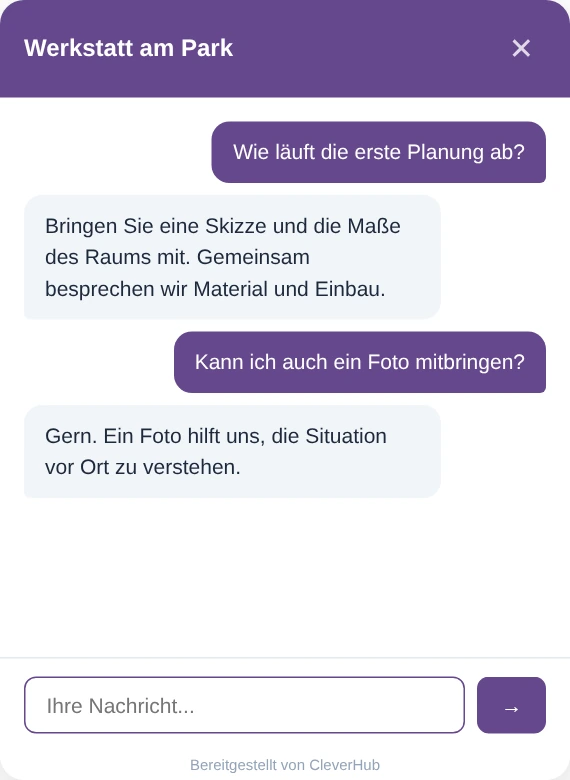
A well-chosen greeting invites specific questions. Instead of introducing your whole business, you might ask what the visitor is planning. They type their reply directly in the chat window on your site.
When someone asks what happens in a first consultation, the assistant can refer to the business knowledge you have entered. Add the information your team would give in person. Decide internally who can make firm commitments.
When an inquiry needs a specialist, your team opens the website conversation in the inbox. The earlier messages provide context for the next reply. The visitor can stay with the same topic in the same chat.
Choose a name and greeting that suit your business. Match the color and position to your website. Check on a phone in particular that the window still leaves the page content easy to reach.
Add the supplied code to the intended pages of your website. Then open one of those pages, launch the widget, and ask a typical opening question from a new visitor’s perspective.
Open the test conversation in the widget channel of the inbox. Read the history and take over the conversation. Check in the test visitor’s browser how the team’s reply arrives.
The services page of a design firm calls for a different opening question than a workshop’s contact page. During setup, choose wording that makes sense without prior knowledge. A short note on what the assistant can answer helps more at the start than a long introduction.
Visitors often use different words from the people who work in your business. Explain, for example, what to bring to a first consultation and where it takes place. Test the answer with a brief question and a more detailed one to find gaps in your information.
The conversation appears as website chat in the shared inbox. Your team can see which questions the visitor has already answered. Whoever takes over can focus on what’s still open. If you plan to call later, agree on how and when the visitor wants to be reached.
Imagine a kitchen showroom that offers consultations on-site. A visitor wants to know whether she needs exact room dimensions for the first meeting. The chat assistant can explain the process on file and list the information that helps you prepare.
The visitor then asks about an unusual installation under a sloped ceiling. A staff member reads the conversation and asks for the height at the lowest point. She can then decide whether a measuring visit makes sense. The showroom specialist makes the technical assessment.

The widget opens on the page where it was embedded. Visitors can write and read the reply there. During setup, consider which pages benefit from offering chat.
You can set the color, greeting, and position, among other things. Open the preview alongside your actual website and check how it fits your typography, how easy it is to use, and how well it reads on a small screen.
Yes. Open the website conversation in the inbox and take over. Read the recent messages first so you can respond to the question as the visitor put it.
The assistant uses the language of the incoming message for its reply. Try wording your visitors actually use and pay particular attention to the terms specific to your business.
Choose a question your team knows the correct answer to, such as how to prepare for a consultation. Then add an individual follow-up. That lets you see both the widget’s answer and the handoff to a team member.