Give callers a suitable greeting
Decide how the assistant should answer on behalf of your business. A short greeting with the business name and a clear invitation to speak helps callers explain what they need in their first sentence.
Another phone often rings while reception is already speaking with a customer. The CleverHub phone assistant can answer and ask what the caller needs. Your team can later see what was discussed in the call log. The callback starts with a specific question, even if the person responsible was out when the first call came in.
Book a demo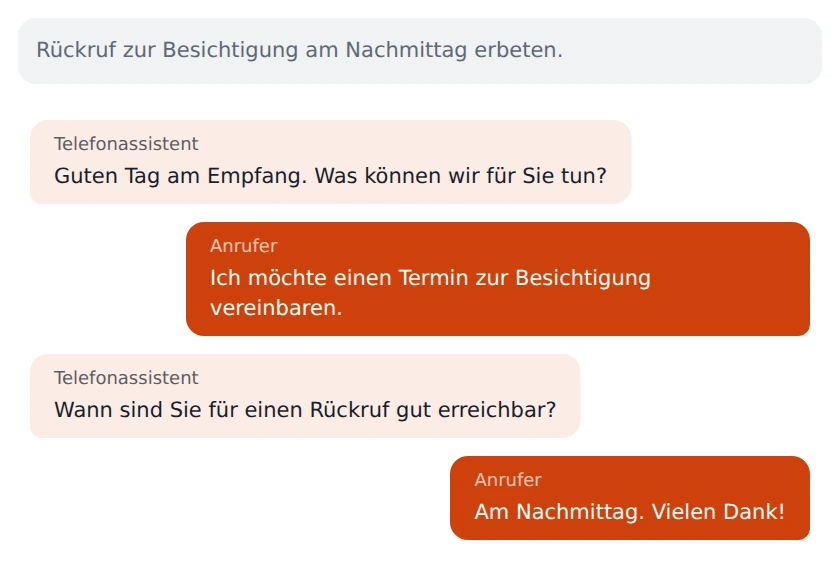
Decide how the assistant should answer on behalf of your business. A short greeting with the business name and a clear invitation to speak helps callers explain what they need in their first sentence.
When a conversation history is available, it shows the details the caller already gave. Read the relevant part before calling back. Someone calling about an ongoing matter can spend less time explaining it from the beginning.
Consider when your team is available and when the assistant should pick up. The phone setup and your call forwarding determine when a call actually reaches virtual reception.
Start with the setup wizard. Choose a language and write a greeting that is easy to understand over the phone. Read it out loud and shorten any complicated sentences.
Set up the intended call routing. Use another phone to call and make a typical callback request. Then check what happens both during and outside your normal opening hours.
Open the test call in the phone area. Read the available transcript and summary, if there is one. What detail would a colleague need for a useful personal callback?
An open invitation such as “What are you calling about?” gives callers room to explain briefly. During setup, describe the requests your business typically receives. A sentence that reads well in an email may sound surprisingly long aloud. A test call lets you hear the difference.
When available, the summary gives you a quick way into the conversation. The transcript provides more context. When names, times, or similar-sounding places matter, confirm the details with the caller before making a commitment.
Use the call log to find the relevant call and read its details. If the caller wants to speak to a specialist, decide as a team who should call back and what still needs answering. Any preferred appointment time mentioned on the call is a starting point for that discussion.
Imagine the service desk is discussing a repair with someone at the counter. At the same time, a caller reports a noise when braking. They describe the issue to virtual reception and ask for an afternoon callback. A diagnosis or a judgment about driving safety requires a specialist’s own assessment.
A staff member opens the call details later. For the callback, she uses the description of the noise and the time the caller requested. She can ask directly under what conditions the noise occurs. She determines in person whether an inspection is necessary and when it can happen.

The phone area has a dedicated call log. Open the relevant call to read the available information. The time of the call and the issue described are a good place to start when following up personally.
The greeting is part of the assistant’s settings. Choose wording that names your business and clearly asks why the person is calling. After a change, place a real test call to hear how it sounds.
What matters is how incoming calls are actually forwarded. During setup, check the whole route from the number people dial to the assistant. That lets you see the same process your callers will experience.
Note which information you still need. During the callback, confirm the spelling, time, or address before relying on it for any commitment.
Make up a brief reason for calling that fits your business, such as a callback about rescheduling. After the test call, review together which details are useful for the next personal contact.