Prepare for initial consultations
An inquiry is often just a short message. Record who got in touch and what they need. Add a task for anything that’s still open. The person who takes the first consultation then has enough context to start.
From first contact to quote, a small service team needs a reliable view of progress. An inquiry may pass through several people. CleverHub helps you bring the contact, request, task, and appointment together and prepare the quote afterward. Agree as a team on who takes over at each step.
Book a demo
An inquiry is often just a short message. Record who got in touch and what they need. Add a task for anything that’s still open. The person who takes the first consultation then has enough context to start.
Document the agreed next step and when to follow up. This helps prevent duplicate messages. If someone else takes over, they can see which service was discussed and what needs clarification.
Prepare the quote based on the agreed services. Use the invoicing area to bill later. Decide who checks the details and totals before sending. This helps when several people work on the same job.
Create a contact or use an existing one. Save the specific request as a lead. A task can remind the team what information it still needs for the initial consultation.
Put the confirmed appointment in the calendar. Afterward, note the service requested. Add a task to follow up or prepare a quote.
When preparing the quote, make sure the scope and responsibilities are clear. Once the work is complete, the team records the agreed details in the invoicing area and decides on the appropriate payment method.
An existing customer may ask about a new project after an earlier job is complete. The contact describes the person or business. The lead shows the stage of the new inquiry.
Record a concrete next action, such as returning a call or clarifying a document. For a handoff, describe the task clearly so the next person knows what to focus on in the conversation.
The team can add content about services and workflows to CleverKnow. Start with information that comes up repeatedly in initial consultations. In the demo, use a sample question to see how the assistant uses that content.
Use the calendar when you have an agreed time. Prepare the quote once your team understands the scope. A sample workflow shows which details from the conversation belong in the quote and which still require a specialist’s review.
A business emails to ask for a consultation. The team records the new request on the contact and schedules an initial meeting. Afterward, the person responsible notes which steps the business wants to discuss and when it expects a reply.
A colleague takes over the task to prepare the quote. She reads the agreed scope, checks a question with the team, and writes the quote. Once the work is done, the person responsible can record the agreed service for invoicing.
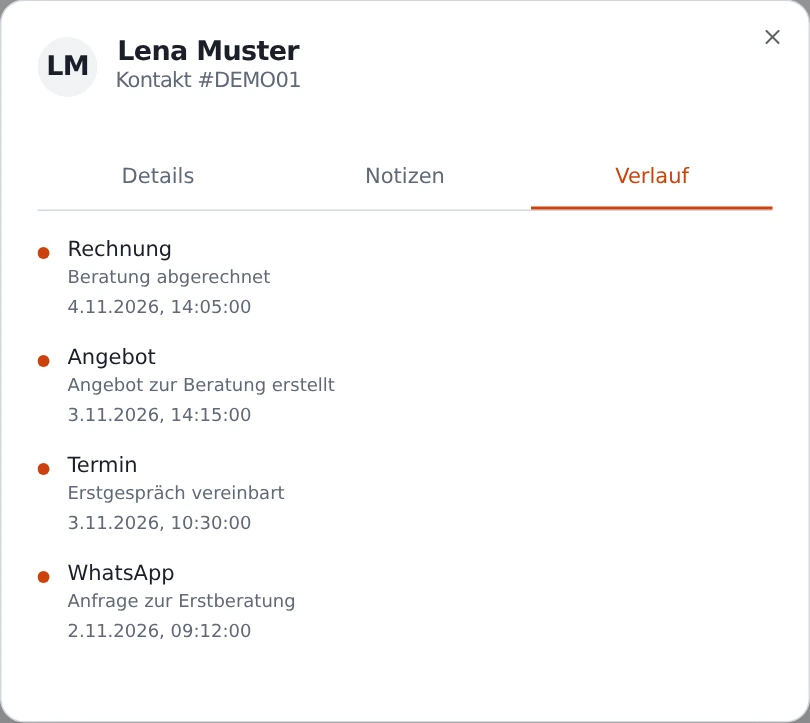
CleverHub offers general CRM tools for this, including contacts, leads, tasks, and a calendar. Decide which steps your team needs to handle together between the first conversation and the quote.
Record the current status on the contact and inquiry. When several people are involved, a task with a specific next step makes the handoff easier.
The CRM has a dedicated area for quotes. Before preparing one, check that the service and scope are agreed with the prospect and decide who will review the finished quote.
Your team can add entries and documents to CleverKnow. Start with recurring questions and decide who will keep the content up to date.
A typical inquiry, initial consultation, and resulting quote are enough. Describe where a handoff gets stuck, using details from a fictional business.