Keep follow-up questions and visits separate
A customer gets in touch about a service and has a question. Record the request on the contact. When a colleague takes over later, she can answer the question before arranging a suitable appointment.
There’s rarely time between treatments to answer a long inquiry. Often you only know which service the customer means and when you can call her back. With CleverHub, record the contact, the request, and the next task. Appointments, billing, and the voucher shop are available for the rest of the workflow.
Book a demo
A customer gets in touch about a service and has a question. Record the request on the contact. When a colleague takes over later, she can answer the question before arranging a suitable appointment.
The calendar shows booked appointments. Use it for confirmed visits. An inquiry with several possible time slots stays a task until your team confirms a time and records it in the calendar.
The public voucher shop gives customers a dedicated way to order. Before setting it up, decide which voucher suits your studio. Discuss who will help if a customer has a question about an order or redemption.
Save a contact with a way to reach them and note the reason for the inquiry. Describe the next step clearly enough for a colleague to take over after a treatment without having to ask for more information.
Use the calendar for a confirmed visit. If there’s still a question about the service, schedule a callback as a task. Before the handoff, check whether the customer knows when to expect a reply.
After the visit, your team can bill for the service. Vouchers go through their own order process in the shop. Agree on who answers questions about payments and orders.
Before calling back, the team needs to know which service was requested and who took the call. A clear contact history helps at handoff. Discuss in the demo what you want to record for your usual inquiries.
Enter confirmed times in the calendar and review them before the next workday. Use a sample week to discuss handoffs, such as when one person works through callbacks while someone else welcomes customers.
The shop shows configured vouchers and guides visitors through checkout. Write a clear description. When setting it up, decide which payment method fits your business and who checks the order status if a customer asks.
Use the invoicing area to record and bill for agreed services. During setup, decide who checks the details and which record they belong to. Bring a sample case to the demo, such as two services that should appear on one invoice.
A customer asks about a visit next week. Reception notes which service she wants and adds a task for a callback later. Once both sides agree on a time, the person responsible puts the appointment in the calendar.
That evening, someone else buys a voucher for the studio. The staff member responsible can check it through the dedicated order process. The earlier callback task stays separate and is closed after the call.
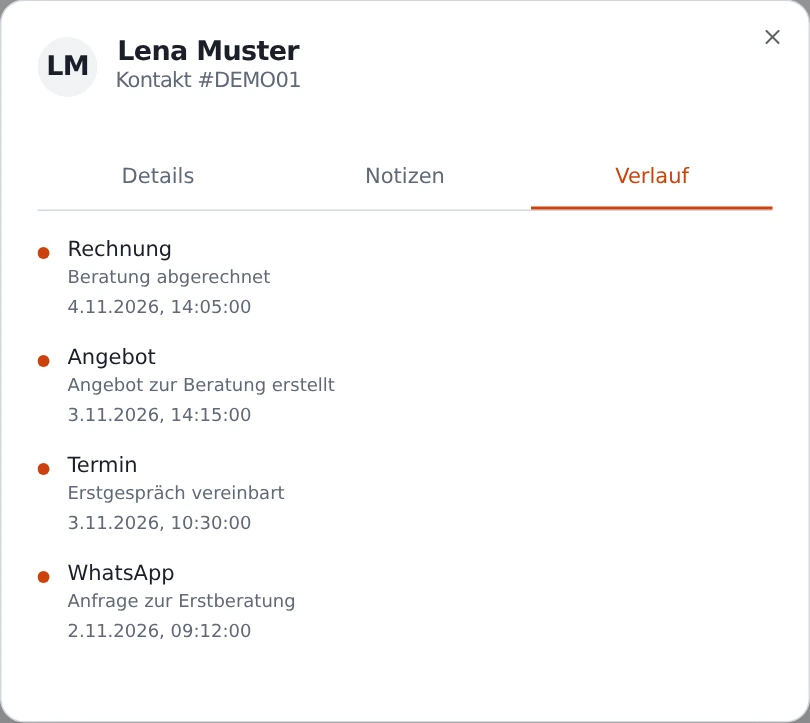
In the CRM, record the contact and create a callback task. Your team can use it to pick up the next step after a treatment.
Use the calendar for agreed visits. In the demo, check how colleagues can distinguish an open appointment request from a confirmed visit.
Vouchers have their own public storefront and checkout. Use a voucher that fits your studio to discuss setup and how to handle order questions.
Yes. Use the invoicing area to bill for services. Discuss the payment methods your customers use, based on the profile you’ve configured.
A fictional appointment or sample inquiry is enough. Describe how handoffs work at your studio today and where you want to cut down on follow-up questions.