Smart Assistant and knowledge base for your team’s questions
Where are the instructions for late arrivals? And what’s on today’s calendar? Questions about established procedures and the current workday come up side by side. Smart Assistant in the CRM and the CleverKnow knowledge base give your team two places to start. Ask a question or read an existing article directly.
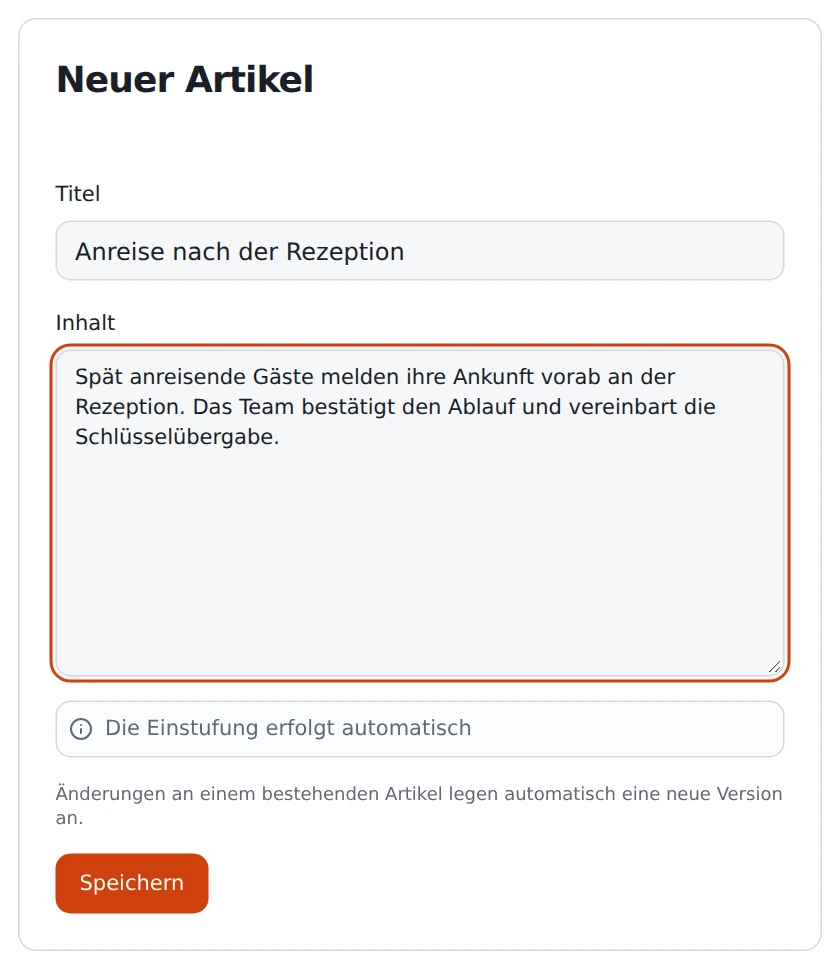
A sample article written for the CleverKnow editor. German interface shown.
What changes in your day-to-day work
Ask a question in the context of your work
Smart Assistant is available in the CRM. Ask which appointments are on today’s calendar, for example. A specific question helps narrow down the answer you need before you check the details in the relevant workspace.
Write down what your business knows
Create an article in CleverKnow for recurring procedures. A clear title and a short, ordered description help a colleague handling the process for the first time. Update the article when the procedure changes.
Read the underlying sources
When an answer points to a knowledge entry, open it to check the context. This is especially useful if a rule has exceptions or a short answer covers only one part of the process.
How it works
Start with a common question
Ask reception or the office for a question that comes up whenever someone joins. Decide who knows the correct answer and which details actually apply to your business today.
Write the instructions in CleverKnow
Give your article a title your staff would search for. Write the steps in the order people perform them. Before publishing, check who the information is meant for.
Check an answer together
Ask the original question in the words of a new colleague. See whether the answer provides what you expected and check any available sources. If an important detail is missing, revise the underlying entry.
Features in detail
Distinguish today’s work from a standing procedure
A question about today’s appointments is about the current state of the CRM. Instructions for preparing an appointment describe a recurring workflow. Record those workflows as knowledge articles so the person responsible can update them as the business changes how it works.
Give each article a clear title
A heading like “Late arrivals after reception closes” identifies the situation. In the article, say what to check first and whom to contact about an exception. Keep general instructions separate from details about individual bookings.
Consider the intended audience
CleverKnow distinguishes internal and public content. An internal reception procedure belongs in a different context from general information for guests. Check the intended use whenever you maintain an entry. Assign someone in the business to own details that can change at short notice.
Example from hotel reception
Suppose a hotel is preparing to train a new evening shift. Reception creates an article about late arrivals. It lists which booking details to check and when the duty manager should decide on an exception. Individual guests’ access credentials belong elsewhere.
During the first shift, the new colleague asks how to handle a guest arriving after reception closes. She reads the article and finds that it’s unclear who takes responsibility. The manager adds the missing detail so the next shift can find the revised procedure.
Start with a manageable question, such as which appointments are scheduled for today. For a question about a business procedure, name the process and describe the step you expect to take.
What should our first knowledge article contain?
Give the article a descriptive title. Explain when the procedure applies, who is responsible, and the order of the steps. Have someone who only knows the process from training read it through.
Can we use existing documents?
CleverKnow provides a document upload alongside the article editor. Before importing a document, check whether it is current, who should read it, and whether a short standalone article would be easier to maintain.
How do I check an answer with a reference?
Open the source and read the section in context. Look for conditions and exceptions. If the answer involves a specific commitment to a customer, check any open questions with the person responsible.
What should we bring to the demo?
A fictional sample procedure, such as what to do when a guest arrives late, is enough. Bring two ways to ask the same question. Together you can see how staff find and read the information.